 FishKillFlea
· Basics · 4 min read
Fishing License Apps & Digital Licenses (2026) — Manage Your License on Your Phone
Reviewed by FishKillFlea Editorial Team
Complete guide to state fishing license apps, digital licenses, and online portals. Buy, store, and display your fishing license on your phone.
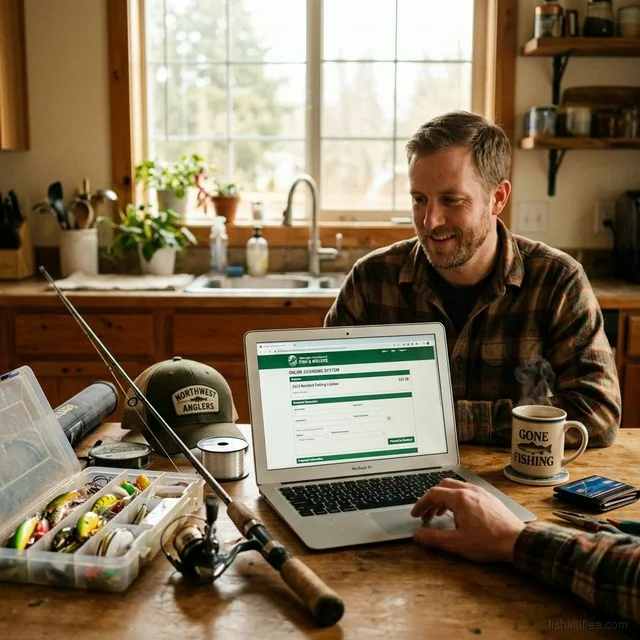
Over 30 US states now offer official mobile apps where you can buy, store, and display your fishing license digitally on your smartphone — no paper needed. Most game wardens accept a digital license display (app or screenshot) as valid proof. Here’s every state’s app, online portal, and digital license option.
State Fishing License Apps
These states offer dedicated mobile apps for purchasing and displaying your fishing license:
| State | App Name | Platform | Features |
|---|---|---|---|
| Texas | My Texas Hunt Harvest | iOS / Android | Buy license, log harvest, regulations, digital license display |
| Florida | Fish|Hunt FL | iOS / Android | Buy/renew, digital license, species ID, regulations |
| California | CA Outdoors | iOS / Android | Purchase license, regulations, fish ID |
| Georgia | Outdoor GA | iOS / Android | Buy/renew, digital license, harvest reports |
| Tennessee | TN Outdoors | iOS / Android | Purchase, digital display, regulations |
| Oklahoma | OK Outdoors | iOS / Android | Buy license, regulations, check stations |
| Wisconsin | Go Wild | iOS / Android | Purchase, digital license, harvest reports |
| Iowa | GoOutdoorsIowa | iOS / Android | Buy/renew, digital license display |
| North Carolina | NC Outdoors | iOS / Android | Purchase, digital license, regulations |
| Louisiana | LA Outdoors | iOS / Android | Buy license, digital display |
| Alabama | Outdoor AL | iOS / Android | Purchase, digital license, harvest reports |
| Michigan | MI Hunt Fish | iOS / Android | Buy license, digital display, regulations |
| Utah | Utah Hunting & Fishing | iOS / Android | Buy license, points, digital display |
| Kansas | GoOutdoorsKansas | iOS / Android | Purchase, digital license, regulations |

Pflueger President Spinning Reel
Smooth 10-bearing system. Great value for freshwater fishing.
Affiliate link · Prices may vary
States With Online Portals Only (No Dedicated App)
These states let you buy online and carry a PDF or printout as your license — no dedicated app:
| State | Online Portal | Digital Accepted? |
|---|---|---|
| Ohio | oh-web.s3licensing.com | Yes — printout or PDF on phone |
| Pennsylvania | huntfish.pa.gov | Yes — print-at-home |
| New York | sportslicensing.ny.gov | Yes — digital copy accepted |
| Minnesota | dnr.state.mn.us/licenses | Yes — electronic receipt |
| Colorado | cpw.state.co.us | Yes — digital copy |
| Oregon | odfw.eleadsolutions.com | Yes — printout |
| Washington | fishhunt.dfw.wa.gov | Yes — WILD system receipt |
| Montana | fwp.mt.gov | Yes — printed receipt |
| Idaho | idfg.idaho.gov | Yes — digital/print |
| Alaska | adfg.alaska.gov | Yes — printed receipt |

Ugly Stik Elite Spinning Rod
Premium Ugly Stik with improved sensitivity and lighter weight.
As an Amazon Associate, we earn from qualifying purchases. Prices may vary.
Is a Digital Fishing License Valid?
In most states, yes — a digital copy on your phone (screenshot, PDF, or app display) is accepted as proof of licensing when checked by a game warden.
| Acceptance Level | States |
|---|---|
| App-displayed license fully accepted | TX, FL, GA, TN, OK, WI, IA, LA, AL, MI, UT, KS, NC |
| PDF/screenshot accepted | Most remaining states |
| Physical copy recommended | Very few states — check locally |
Best practice: Even in states that accept digital licenses, keep a screenshot or PDF saved for offline access. Cell service on the water is unreliable.

Penn Pursuit IV Spinning Combo
Rod and reel combo ready to fish out of the box. Great value for new anglers.
Affiliate link · Prices may vary
How to Buy Your Fishing License on Your Phone
Through a State App
- Download your state’s app (see table above)
- Create an account or log in
- Select your license type (annual, daily, combo)
- Enter your personal information and pay
- Your digital license appears in the app immediately
Through a State Website (Mobile Browser)
- Visit your state’s licensing portal on your phone
- Create an account or log in
- Select and purchase your license
- Download the PDF receipt
- Save it to your photos or files for easy access
At Walmart (Then Go Digital)
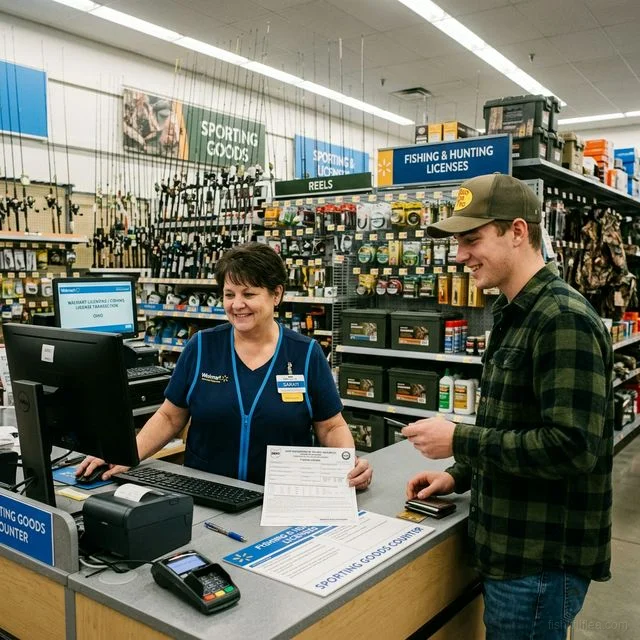
- Purchase your license at Walmart sporting goods counter
- Keep your printed receipt
- Log into your state’s portal with the info used at purchase
- Your license will appear in the system — download the digital copy
Managing Multiple State Licenses
If you fish in several states, keeping track of licenses can be challenging. Here’s how to stay organized:
| Method | How It Works |
|---|---|
| Dedicated folder on phone | Create a “Fishing Licenses” folder in your photos/files |
| Screenshot each license | Save a screenshot immediately after purchase |
| State apps | Each state’s app stores your license independently |
| Wallet apps | Some states support adding licenses to Apple Wallet or Google Wallet |
| Physical backup | Print and laminate a copy for your tackle box |
License Purchase Timing: App vs. Retail
| Purchase Method | How Fast? | Available When? |
|---|---|---|
| State app | Instant | 24/7 |
| State website | Instant | 24/7 |
| Walmart | 5-10 minutes | Store hours |
| Bass Pro / Cabela’s | 5-10 minutes | Store hours |
| Phone call | 10-15 minutes | Business hours |
Biggest advantage of digital: You can buy a license at 2 AM from your campsite and be on the water at dawn. No waiting for a store to open.
Frequently Asked Questions
Can a game warden look up my fishing license electronically? Yes — game wardens have access to their state’s database and can verify your license using your driver’s license number. However, you should still carry your own proof. See our license lookup guide.
What if I don’t have cell service to show my digital license? Take a screenshot of your license and save it to your phone’s photo gallery before your trip. Screenshots don’t require internet to display.
Is a fishing license receipt the same as the license? Yes — in most states, the printed or digital receipt IS your fishing license. There is no separate plastic card or physical license for recreational fishing.
Can I display someone else’s license on my phone? No — each angler must carry their own proof of license. You cannot share a phone display as proof for multiple people.
Do I need to carry my physical license if I have the app? In states with official apps (TX, FL, GA, etc.), the app display is sufficient. You do not need a physical copy.
Browse your state page for specific purchase links, or renew your license online.